From bank statement to balance sheet.
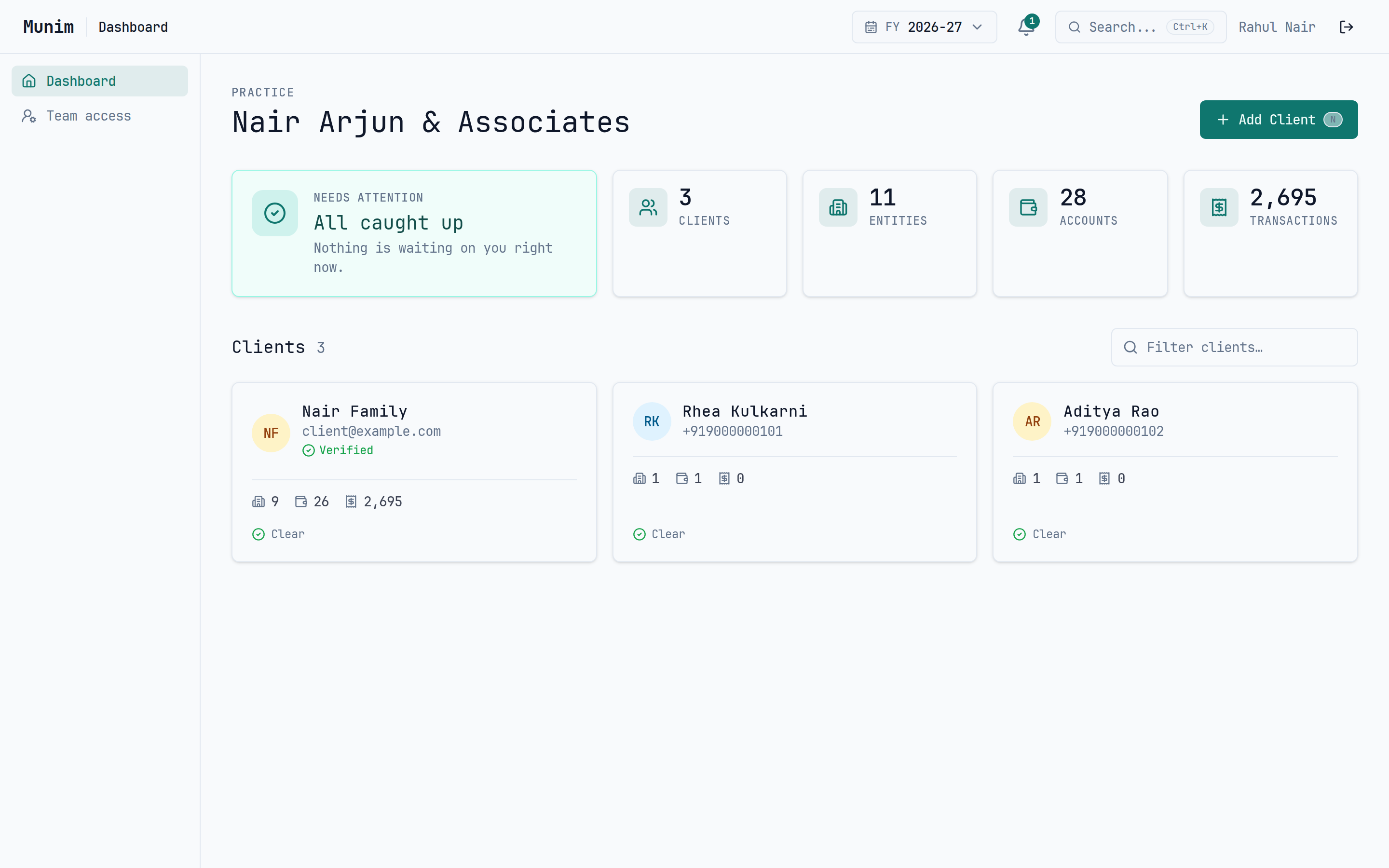
Munim takes a client's bank statements all the way to closed books: parsed transactions, your categorization rules, reconciled transfers, and every entry posted to a real double-entry ledger. Clients answer their own queries in a portal built for a phone.
Free forever · Paid plans from ₹999/year
Sound familiar?
Every month, accountants across India repeat the same painful cycle.
Collect statements
Chase clients on WhatsApp and email for bank PDFs. Every. Single. Month.
Type data manually
Open each PDF, squint at the table, type numbers into a spreadsheet.
Categorize via calls
"What was this ₹4,500 charge on March 12th?" Repeat 200 times.
Match transfers
Cross-reference withdrawals and deposits across multiple accounts in Tally.
Reconcile after weeks
Re-key it all into Tally for journals and finalisation — weeks after the data arrived.
What if the entire pipeline — from statement to report — just worked?
How much time are you losing?
How many bank statements do you process each month?
~17 hours/month
spent on manual data entry — that's ₹8,500/month at ₹500/hr
The complete pipeline
From bank statement to clean, categorized books in four steps.
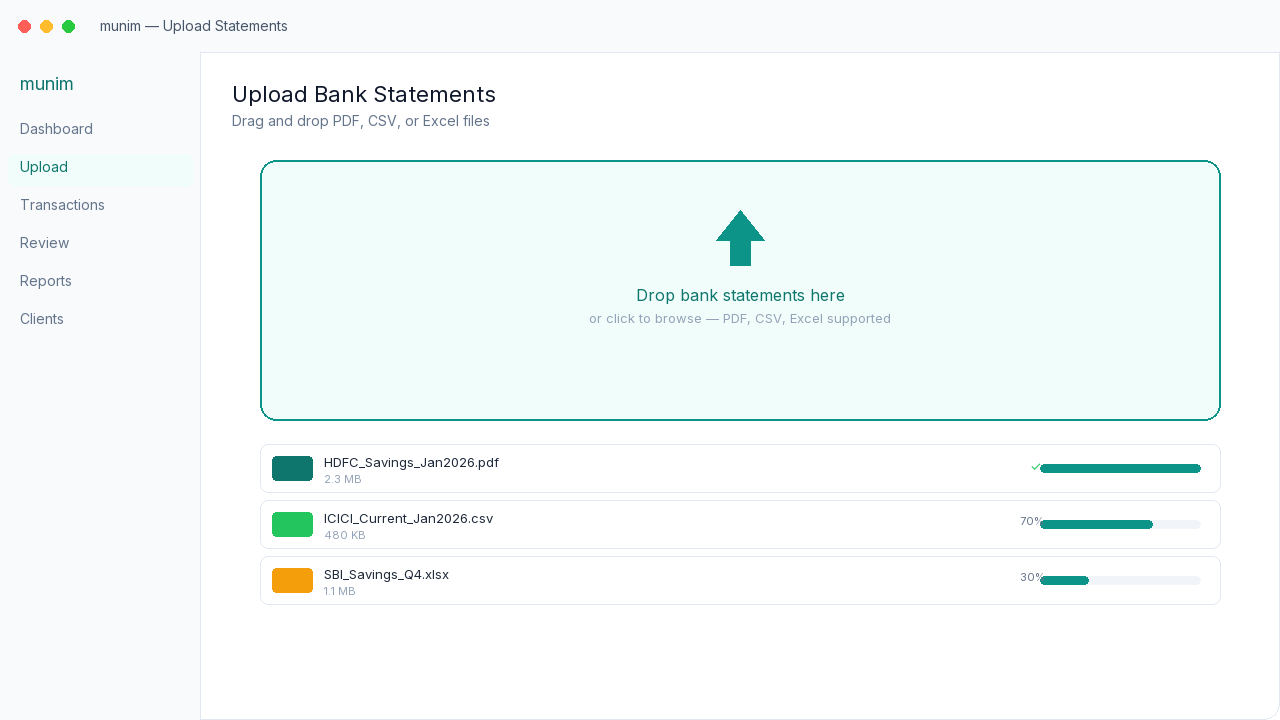
Upload
Drag and drop bank statements. PDF, CSV, Excel — auto-detected and parsed.
- Parsers for every major Indian bank
- Auto-detection picks the right parser
- Handles duplicates automatically
Categorize
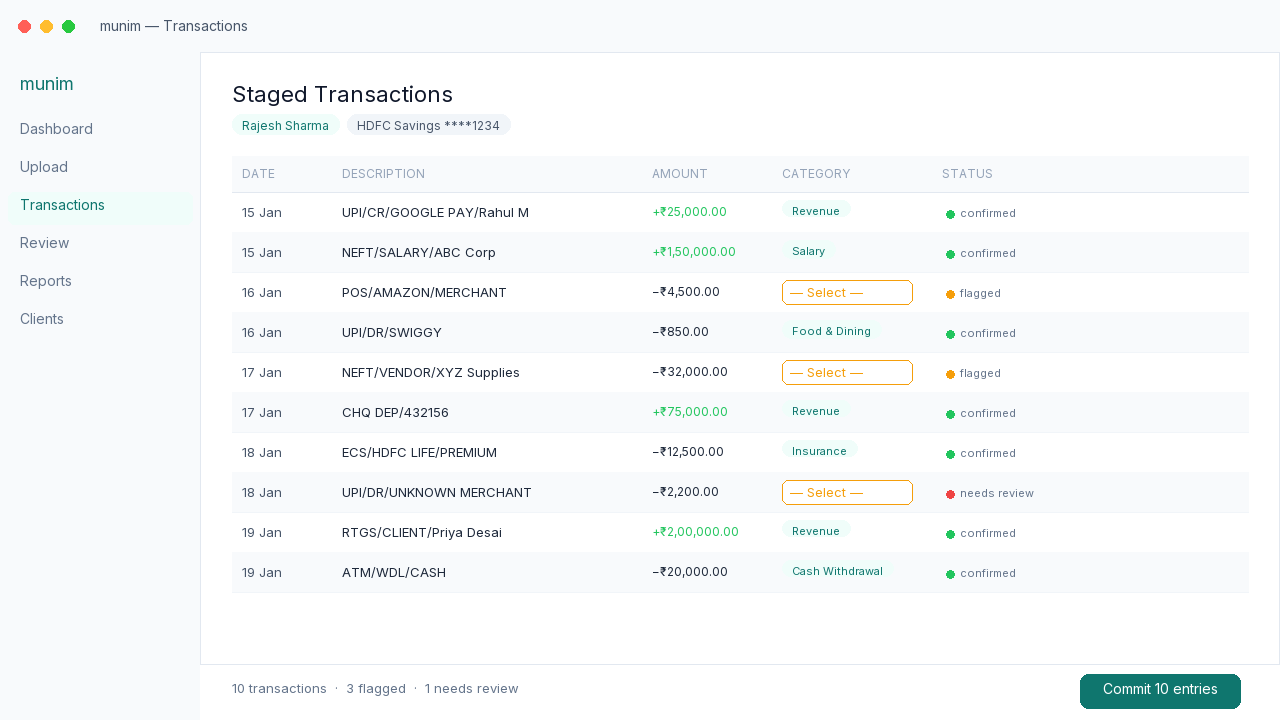
Clean transaction list. Edit categories, tags, and flag items for client input.
- Review staged transactions before committing
- Immutable date/amount, editable categories
- Flag transactions that need client clarification
Collaborate
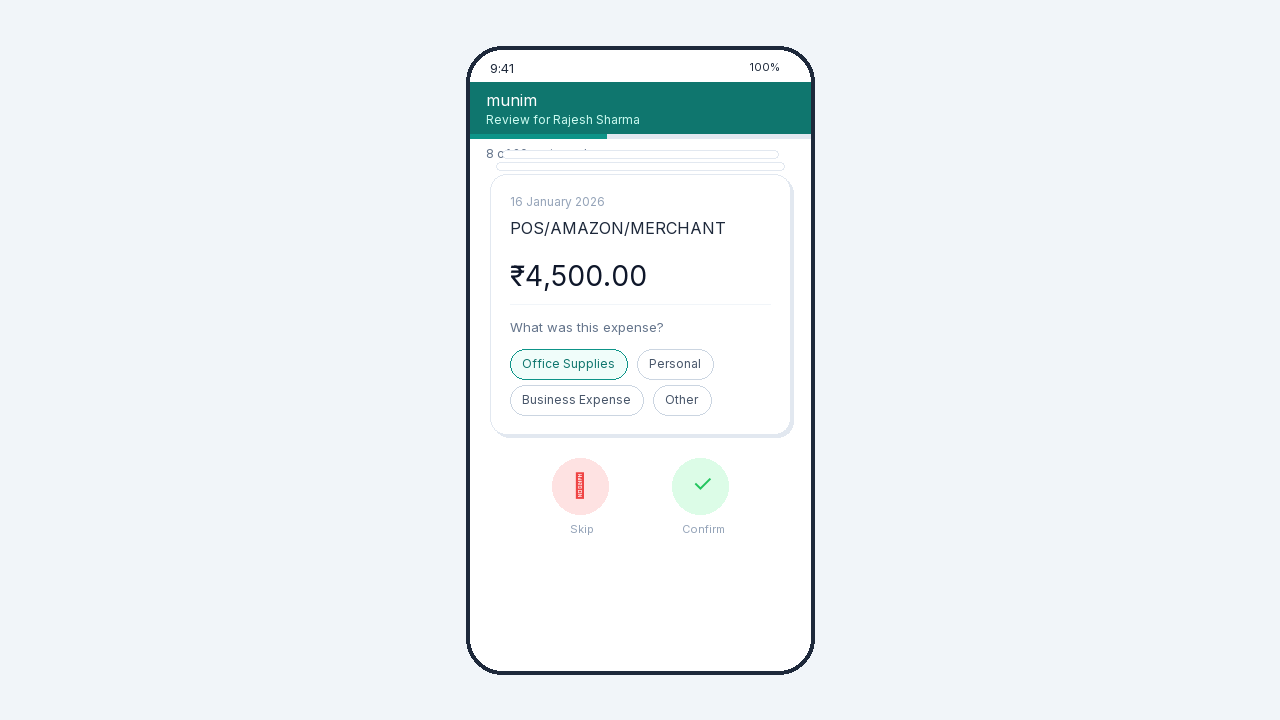
Invite your client to their portal. They log in with a phone OTP — no password, no app — and categorize transactions from any phone.
- Phone-OTP login — no password, no app install
- Mobile-first client portal
- Client edits flow back to your dashboard
Close
Reconcile the transfers, post to the ledger, lock the year. Summaries and exports come with it.
- Internal transfers matched across accounts
- Balanced journal entries, posted per entity
- Lock a financial year so it stops moving
The books, not just the data
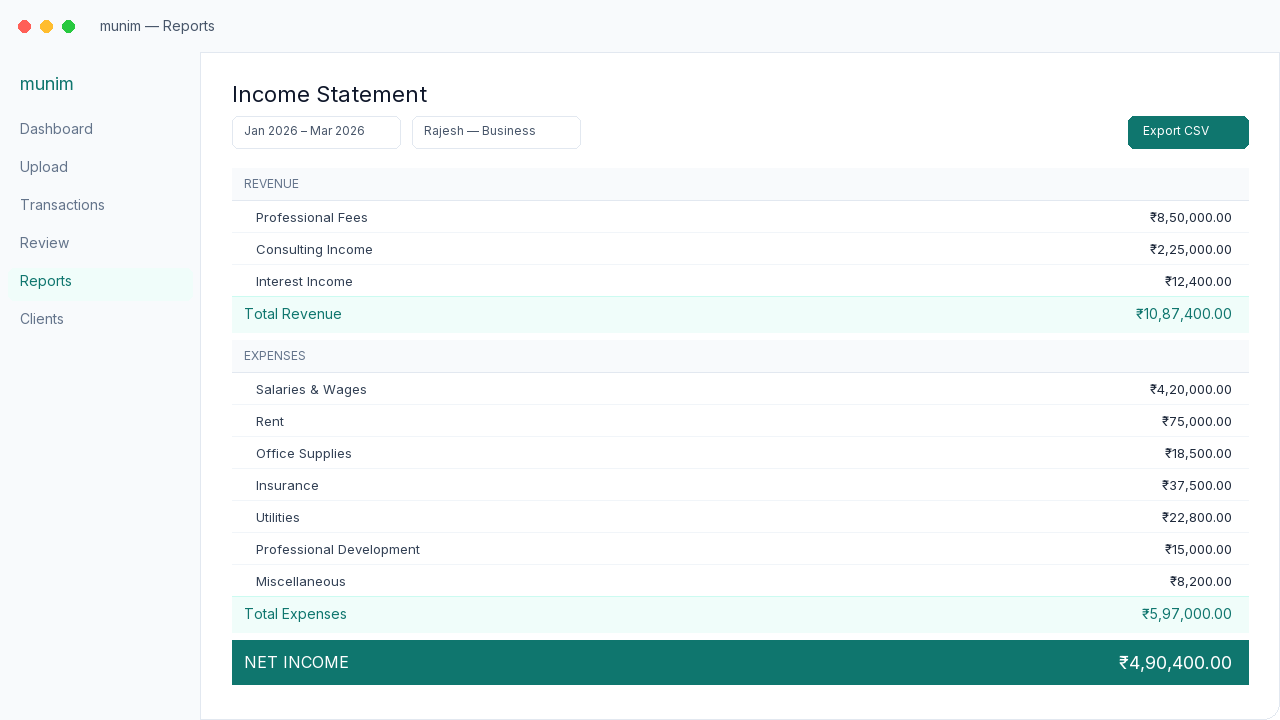
Clean transactions are halfway. Munim posts them to a proper double-entry ledger per entity — so what you hand over at year end is a set of books, not a very tidy spreadsheet.
Entity-scoped ledgers
Each entity keeps its own chart of accounts. Opening balance, debit movement, credit movement, closing balance — on every ledger, every period.
A real journal engine
Every categorised transaction posts as balanced journal lines. Nothing lands in the ledger that does not balance, and nothing balances by rounding.
Manual journal workspace
Post adjusting entries with references attached, reviewed the same way as everything else. Depreciation, provisions, year-end adjustments.
Year locks
Close a financial year and it stays closed. Locked periods reject new postings, so a finalised year cannot quietly move after you have signed off.
Drill down from any figure
Click a balance-sheet line and land on the journal entries behind it. No exporting to a spreadsheet to work out where a number came from.
Interest and holdings, ledgerised
Interest income posts by issuer. Holdings and borrowings carry opening WDV forward, so depreciation is not a side calculation.
Tracked where the books are
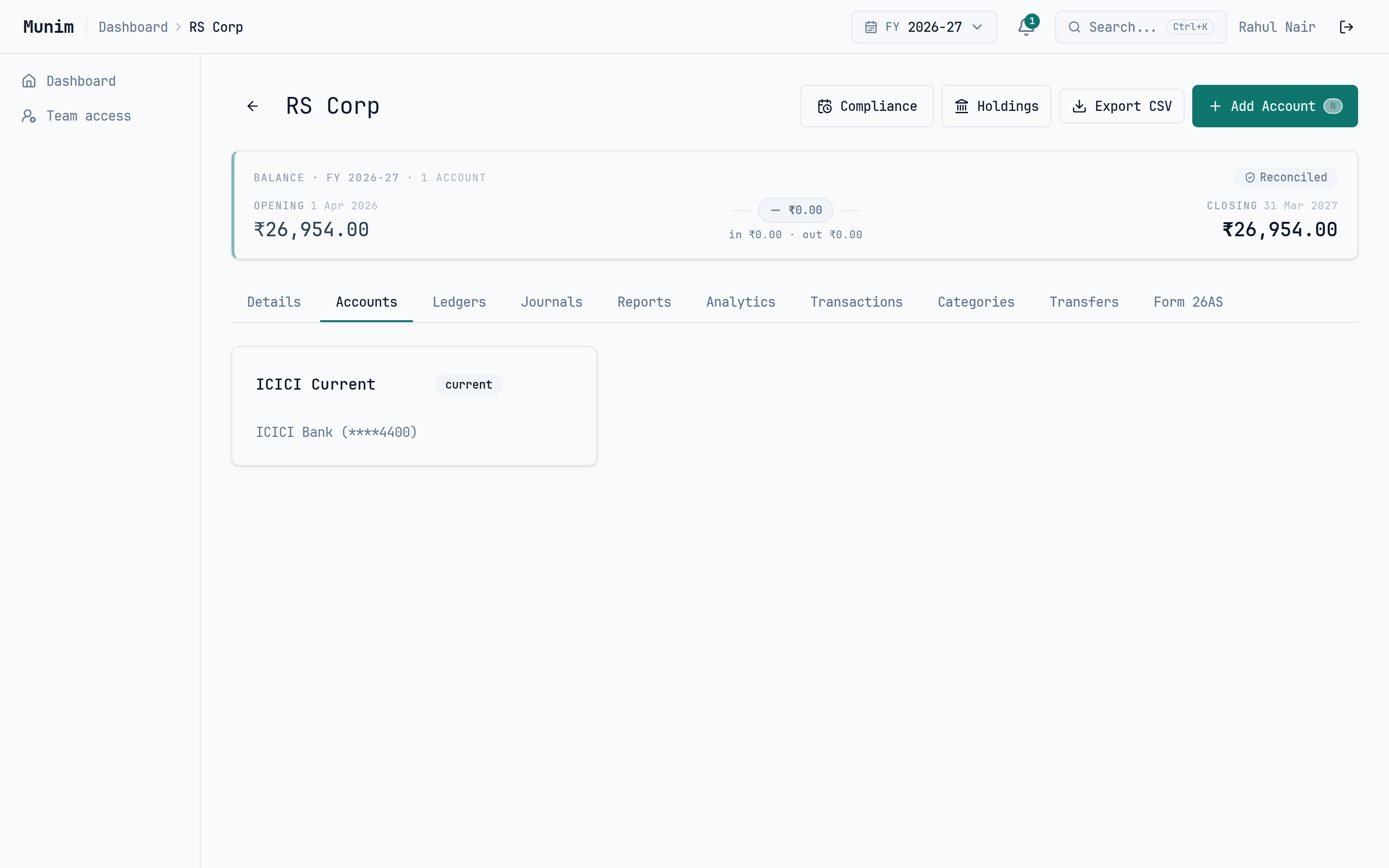
The deadlines and the ledgers are the same work. Keeping them in the same place is the difference between noticing a TDS mismatch in July and noticing it in a notice.
Compliance calendar
Deadlines per entity, filterable by status. What is due, what is late, what is done — without a parallel spreadsheet.
Form 26AS · TDS credit
Reconcile TDS credit against what the books actually show, so a mismatch surfaces before the return does.
Internal transfers
Withdrawals matched to deposits across a client's accounts, so money moving between their own banks stops reading as income.
Holdings and borrowings
Track holdings and borrowings per entity with opening WDV carried forward, instead of rebuilding the depreciation schedule each year.
Why Munim
Real double-entry, not a spreadsheet
Every categorized transaction posts as balanced journal lines to an entity-scoped ledger. Drill from a balance-sheet figure to the entries behind it, then lock the year so it stays closed.
Client collaboration portal
The only tool that lets clients categorize their own transactions. They log in to a portal with a phone OTP — no password, no app install, works on any phone.
Built for multi-entity practices
Practice → client → entity → account, with a separate set of books per entity. Organize hundreds of clients and their businesses, HUFs, and trusts without losing the thread.
See Where the Money Goes
Every transaction you categorize rolls up instantly. Spend and income grouped by category — for one account, an entire entity, or a whole client.
Spend by Category
Money out grouped by category, biggest first. See where a client's cash actually goes — no spreadsheet required.
Income vs Expense
Credit, debit, and net for every category, so you know what each bucket contributed across any set of transactions.
Any Scope
Roll up a single account, a whole entity, or every entity under a client. The same breakdown at any altitude.
Excel Export
One-click download of the full category breakdown. Hand it to a client or drop it straight into your workpapers.
Built for accountants managing real practices
Supported banks at launch
From the blog
View all →How Accountants Waste 10+ Hours a Week on Bank Statement Data Entry
Manual data entry from bank PDFs is the biggest time sink in accounting practices. Here's what the problem really costs and how to automate it.
Stop Using WhatsApp to Categorize Client Transactions
Calling clients to ask 'what was this charge?' is the most painful part of accounting. There's a better way.
The Complete Guide to Organizing Multi-Entity Client Finances
Most Indian clients have multiple entities — personal, business, HUF, trust. Here's how to organize them without losing your mind.
Ready to fix the pipeline?
Stop chasing bank statements on WhatsApp. Start uploading, categorizing, and reporting — all in one place.
No credit card required